
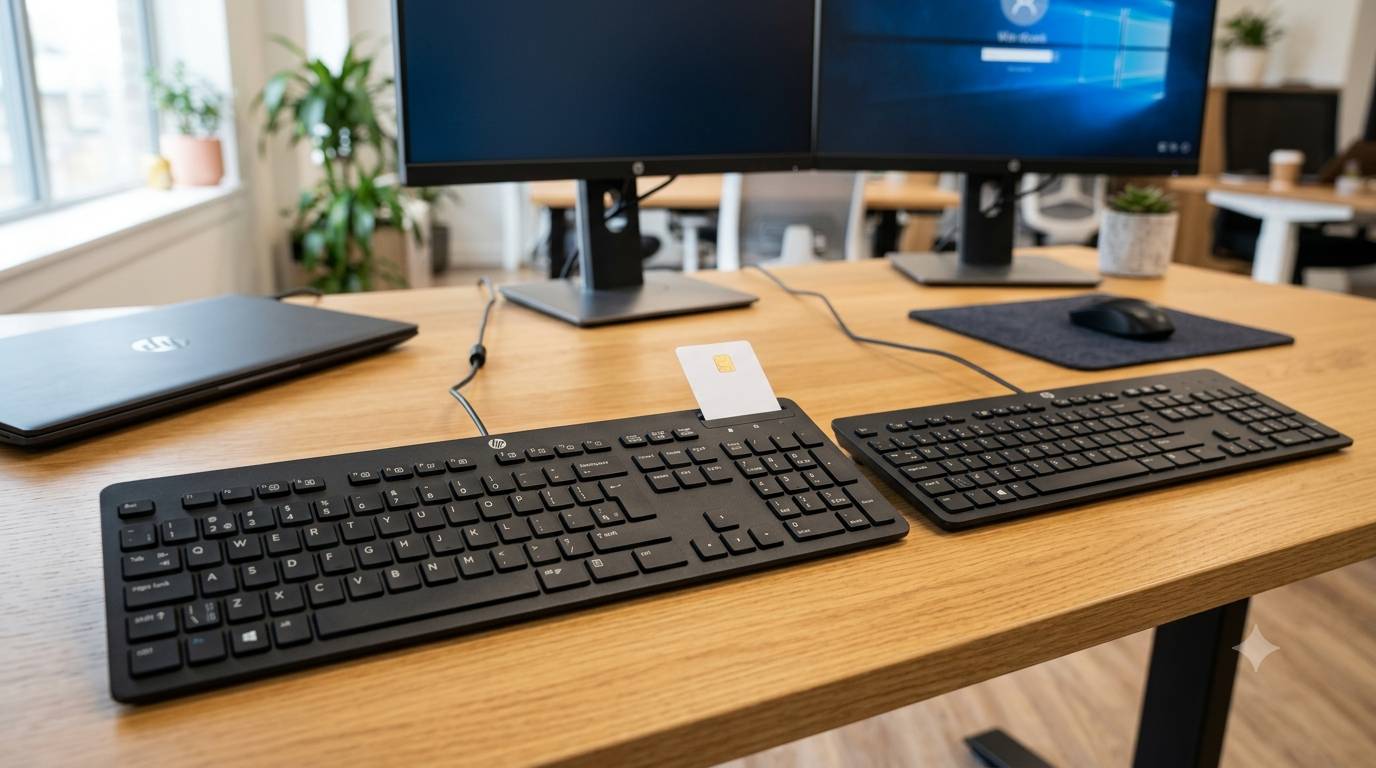
In high-security environments, data integrity and physical hardware safety are paramount. From corporate offices and government departments to financial institutions, safeguarding sensitive information demands more than just antivirus software; it requires secure user access control right at the desktop level. Keyboards equipped with integrated Smart Card readers offer an effective line of defence by pairing user identification directly with system authentication. This integration stops unauthorised access before a single keystroke reaches the screen, providing a reliable barrier against physical and digital intrusions alike.
For organisations seeking precise input paired with authentication features, the HP English US Smart Card keyboard delivers a seamless solution. Designed for heavy daily usage, this device blends standard mechanical reliability with an integrated Chip Card Interface Device (CCID) reader. Incorporating authentication hardware directly into the daily workspace allows IT departments to simplify identity management across large device fleets without adding unnecessary desktop clutter.
The Role of Smart Card Keyboards in Enterprise Security
Modern cyber threats frequently target physical endpoints. A standard USB peripheral offers no built-in method to confirm the identity of the person sitting at the desk. By contrast, a CCID-compliant peripheral demands a valid smart card swipe or insertion alongside standard credential entry. This two-factor approach ensures that even if a password is compromised, terminal access remains strictly blocked without the physical security token present.
Choosing a CCID English International US Smartcard Security keyboard gives deployment teams a standardised layout that matches global software systems. The US layout remains the standard for international terminal operations, programming, and enterprise software systems, making it a versatile pick for multinational teams. Furthermore, relying on plug-and-play CCID drivers eliminates the need to manage proprietary software updates across hundreds of workstations, lowering overall administrative costs.
Key Features of Smart Card Security Keyboards
Selecting the proper hardware for a busy office environment requires looking closely at usability, security standards, and daily durability.
Advanced Authentication and Access Control
- Integrated CCID Smart Card Reader: Eliminates the need for external readers, saving desk space and reducing cable clutter.
- Broad Compatibility: Works smoothly with Windows, Linux, and specialised terminal software for hassle-free deployment.
- Smart Card Support: Supports ISO 7816 class A, B, and C smart cards, meeting strict governmental and commercial security requirements.
- Spill-Resistant Construction: Built to withstand minor accidental liquid spills in demanding office conditions.
Standardised Layout and Ergonomic Typing Design
- English US Key Arrangement: Features the universally recognised layout preferred by developers, network engineers, and multinational firms.
- Tactile Key Switches: Offers key travel that reduces typing fatigue during long work shifts.
- Durable Key Legend Printing: Resists wear from repeated friction, keeping characters readable over years of heavy use.
Accessibility and Workspace Considerations
While hardware security remains a primary focus, inclusive workstation design is equally crucial. In environments where accessibility is a priority, specialised input options make a substantial difference. Devices such as High Visibility Keyboards feature high-contrast keyboard designs with Oversized Letters for Visually Impaired Low Vision Seniors, helping users with reduced sight type quickly and accurately without strain.
Integrating accessibility options alongside secure peripherals ensures that every team member works comfortably without compromising overall security. High-contrast keys and clear legends cut down on typing errors, while the stable structure of enterprise-grade hardware supports daily, heavy use across shared desks.
Effective Steps for Deploying Secure Peripherals
Successfully updating desktop hardware across a company requires a systematic rollout plan.
- Audit Existing Hardware: Assess current desktop setups to identify workstations that require smart card authentication upgrade paths.
- Standardise Device Drivers: Ensure base system images include native CCID drivers to streamline plug-and-play setup.
- Train Staff Members: Show employees proper smart card handling, proper insertion techniques, and removal safety steps to prevent card wear.
- Establish Clear Protocols: Set strict policies regarding card removal when leaving desks unattended to keep workstations secure.
- Plan for Accessibility Needs: Keep high-visibility alternatives available for employees or visitors who require high-contrast key legends.
Securing Your Digital Future
Combining smart card authentication with standard desktop hardware provides a practical, straightforward way to protect critical network resources. Investing in dependable, CCID-compliant security peripherals reduces reliance on passwords alone, strengthens access control, and simplifies compliance across corporate networks. By pairing user-friendly layouts with hardware-level security, organisations create a safer, more efficient digital workspace that stands up to modern operational demands.
Leave a Reply
You must be logged in to post a comment.